
BDG Win APK Download Latest Version for Android
Get the latest BDG Win Game APK to enjoy a smooth and entertaining mobile gaming experience. This app brings a variety of casual mini-games into one lightweight platform, making it easy for Android users to play and navigate without any hassle.
What is BDG Win Latest Version?
BDG Win is a lightweight Android app that brings a variety of casual mini-games into one simple platform. It is designed to run smoothly on most mobile devices, offering a quick and easy way for users to enjoy short gaming sessions during their free time.
BDG Win APK Details
| App Name | BDG Win |
|---|---|
| Version | v1.2.0 |
| File Size | 25.4 MB |
| Android Requirement | Android 5.0+ |
| Last Updated | 2026-10-20 |
| Category | Mobile Game Application |
| Verify security | Safe & Virus Free |
| Source | Direct Download |
Update Log
-
Initial release update with bug fixes and improved app stability.
-
Performance optimization and UI enhancements.
BDG Win Features And Game Play
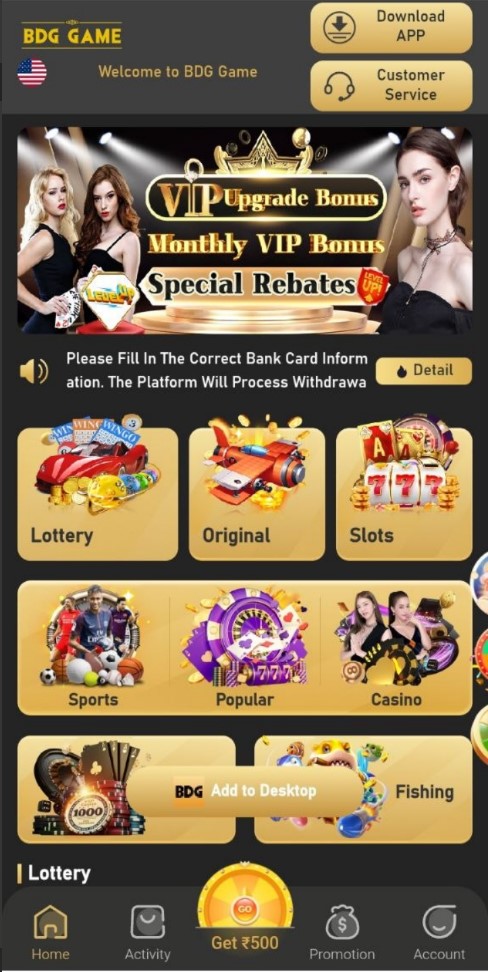
- Easy-to-Use Interface: Clean and simple layout that makes navigating through different game categories quick and hassle-free.
- Lightweight Performance: The app is optimized to run smoothly on standard Android devices without taking up too much storage space.
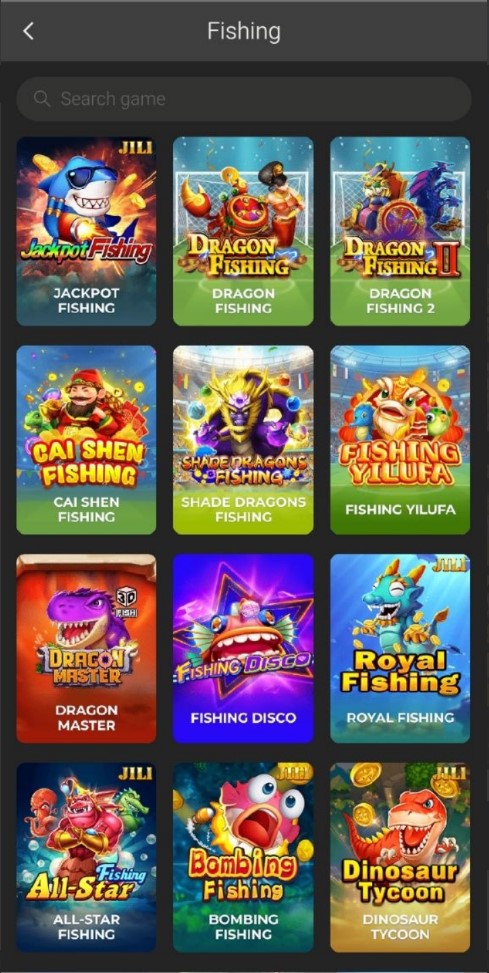
- Multiple Casual Games: Access a variety of simple mini-games and challenges all in one place, perfect for short breaks.
- 24/7 Customer Support: Dedicated help center available around the clock to assist you with any app-related questions or issues.
- Regular Updates: Continuous improvements to fix bugs and enhance the overall gaming experience for users.
BDG Win Game Screenshots
How to Download And Install BDG Win APK on Android
Follow these simple steps to download and install the app on your phone. Note that Android phone settings may vary slightly depending on your device model.
-
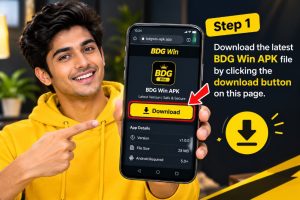 Download the latest BDG Win APK file by clicking the download button on this page.
-
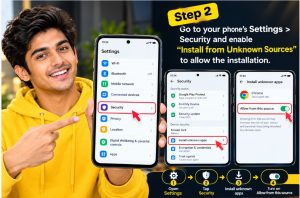 Go to your phone's Settings > Security and enable "Install from Unknown Sources" to allow the installation.
-
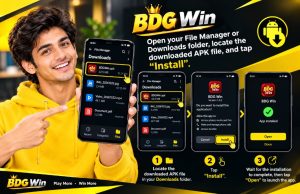 Open your File Manager or Downloads folder, locate the downloaded APK file, and tap "Install".
-
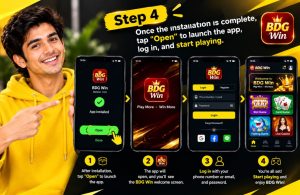 Once the installation is complete, tap "Open" to launch the app, log in, and start playing.
How to Register and Login to BDG Win
To start playing, you first need to create an account. Here is a quick guide on how to register and log in:
Registering a New Account:
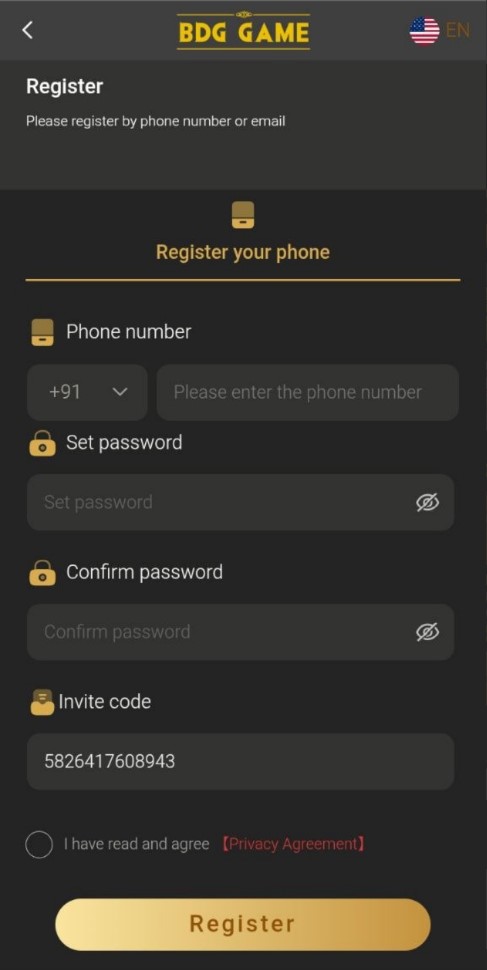
1. Open the app and tap the "Register" button on the main screen.
2. Enter your active mobile number and create a secure password.
3. Tap "Send OTP" and enter the verification code sent to your phone.
4. Once verified, tap "Confirm" to complete the process.
Logging In to Your Account:
1. If you already have an account, tap the "Login" option.
2. Enter your registered mobile number and password.
3. Enter the OTP you receive to verify your login attempt.
4. Once verified, you will be directed to the main dashboard.
BDG Win Troubleshooting & Quick Fixes
Facing issues while installing or using the app? Here are some quick solutions to common problems:
1. App Won't Install (Installation Failed)
If the installation stops or fails, you might have an older version of the app already installed. Uninstall the previous version completely, restart your phone, and try installing the new APK again.
2. "Parse Error" or Compatibility Issue
This usually happens if the downloaded file is incomplete or your phone's Android version is too old. Make sure your device is running Android 5.0 or higher. If it is, clear your browser cache, delete the old file, and download the APK again.
3. Google Play Protect Warning
When installing apps from outside the Play Store, Google may show a security warning. This is a standard safety prompt. If you downloaded the file from a trusted source, simply tap "Install Anyway" to continue with the setup.
Frequently Asked Questions
Is the BDG Win app completely free to download?
Why is my phone showing a security warning during installation?
What should I do if the app keeps crashing or freezing?
I forgot my password. How can I log in again?
How do I update the BDG Win app to the latest version?
User Reviews
-
 App ka size kaafi chota hai, toh download aur install karna ekdum easy tha. Mini games smooth chalte hain aur interface bhi clean hai. Purane phone par bhi bina lag ke chal raha hai. Overall badhiya experience.
-
 Setup process kaafi simple tha aur registration bhi jaldi ho gaya. Games ka collection acha hai casual play ke liye. Bas kabhi kabhi internet connection slow hone par thoda lag hota hai, but otherwise app stable hai.